
Not just for kids. Not just
screen time.
Most digital safety tools were built to lock down screen time for kids and call it a day. They charge you per user, ignore co-parents and aging loved ones, and miss the real threats, like scams, grooming, and fraud.
- What is OneHaven
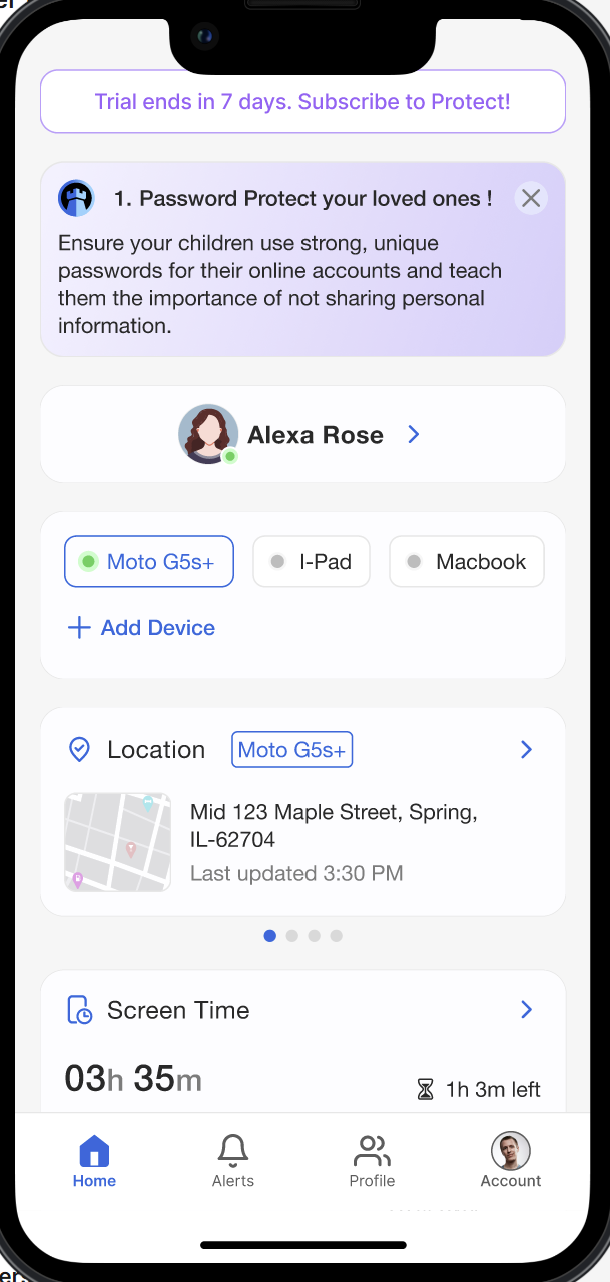
The parental control and monitoring market is diverse, yet fragmented, with many solutions focusing either on child safety or general cybersecurity. OneHaven uniquely positions itself by offering a platform that integrates comprehensive tools for protecting both children and seniors. Leveraging AI-driven alerts, advanced monitoring capabilities, geofencing, predator proximity detection, fraud prevention, and more, OneHaven provides a unified solution that addresses significant gaps in the market.
OneHaven is different
We built protection that works for real life. That means:
 One flat fee. Add everyone.
AI that spots scams, emotional risk, and impersonation across messages, links, and apps.
Tools that work for families, caregivers, seniors, and solo users.
A dashboard that does not require tech skills or a second glass of wine.
One flat fee. Add everyone.
AI that spots scams, emotional risk, and impersonation across messages, links, and apps.
Tools that work for families, caregivers, seniors, and solo users.
A dashboard that does not require tech skills or a second glass of wine.
Feature Comparison
OneHaven offers the most comprehensive protection for the entire family.
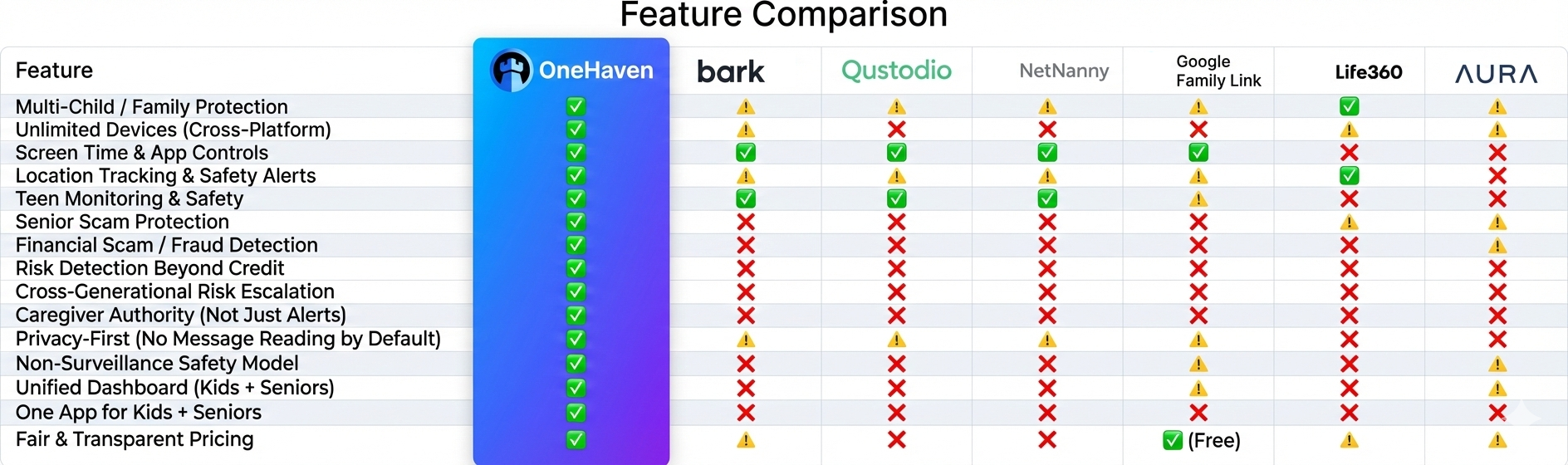
Want a detailed head-to-head comparison?
OneHaven supports iOS, Android, and coming soon on Windows, and macOS devices, providing seamless integration across all major platforms.
Yes, OneHaven allows caregivers to monitor and manage multiple devices for each child or senior, with personalized settings for each user.
OneHaven uses AI-driven technology to process data in real-time, delivering instant alerts for suspicious activities, geofence breaches, or predator proximity.
Yes, OneHaven monitors encrypted messaging apps by scanning for flagged keywords and behavioral patterns to ensure comprehensive protection.
Yes, OneHaven offers a 30-day free trial for new users to explore all features before committing to a subscription.
Far far away, Caregivers can set virtual boundaries for children or seniors. If the user crosses these boundaries, the caregiver receives an instant alert with real-time location updates.behind the word mountains, far from the countries Vokalia and Consonantia, there live the blind texts. Separated they live in Bookmarksgrove right at the coast
The fall detection feature uses device sensors to detect sudden movements or impacts. If a fall is detected, emergency contacts are immediately notified.
Yes, OneHaven's screen time management allows you to set daily or weekly time limits on specific apps or device usage overall.
OneHaven monitors online activity for interactions with flagged accounts or language patterns that indicate predatory behavior, alerting caregivers promptly.
If tampering is detected, OneHaven sends immediate alerts to the caregiver and locks the device to prevent unauthorized changes.
OneHaven employs advanced encryption and secure data storage protocols to protect user information and maintain privacy.
No, OneHaven prioritizes user privacy and does not share personal data with third parties.
OneHaven includes tamper-proof settings and alerts caregivers of any attempts to bypass controls, ensuring continuous protection.
OneHaven monitors for suspicious transactions, phishing attempts, and unusual account activity, particularly for seniors, and sends real-time alerts to caregivers.
OneHaven includes an integrated AI chatbot to provide real-time assistance and troubleshooting, ensuring caregivers can quickly resolve any issues.
Yes, OneHaven is designed as a dual-purpose platform to cater to the unique needs of children and seniors, offering tailored features like predator monitoring for kids and fraud detection for seniors.
Yes, alerts can be sent through app notifications, SMS, or email, depending on caregiver preferences.
Yes, OneHaven provides detailed reports on web activity, screen time, and alerts, helping caregivers make informed decisions.
Currently, OneHaven supports English, with plans to expand to additional languages in future updates.
Looking to protect just yourself?
Check out Self-Protect, the same protection engine, built for individuals, starting at $10/month.